AI Document Creation: Why Signibly Is the Best Place to Draft and Sign
Most AI writers stop at a Word export. Signibly AI drafts the contract, places signature fields, lets you test every party, and sends the envelope — then invoices and payments live in the same hub.
AI document creation stopped being a parlor trick
In 2026, almost every productivity suite can “write a contract.” Chatbots paste clauses into a blank page. Proposal tools generate pitch decks. Generic AI writers spit out Markdown you still have to format, PDF, and re-tag with signature fields in a second product.
That last mile is where small businesses lose hours. An AI draft that cannot become a signing envelope — with parties coloured, dates beside signature lines, and a test pass before send — is only half a workflow. AI document creation only earns its keep when the output is sendable.
Signibly AI was built for that full loop: wizard → professional draft → auto-placed fields → revise → test each signer → send → invoice and get paid. One workspace, one credit pool for AI jobs, no export-and-reupload shuffle.
What “AI document creation” should mean for SMBs
For freelancers, agencies, property managers, and operators, the job is not to impress with prose. It is to get a clean commercial document in front of the right people, collect signatures, and bill the work without opening three tabs.
Useful AI document creation therefore needs four things: (1) structured inputs — roles, jurisdiction, length, clauses — not a single vague prompt; (2) layout that looks like a real agreement, not a chat transcript; (3) signature and form fields already sitting on the blanks; (4) a path to send and track without leaving the product.
Tools that only generate text force you back into DocuSign, Adobe, or Word plus email. Signibly keeps drafting and e-sign in the same Business plan that already includes invoices, payments, expenses, and tax summaries under fair use.
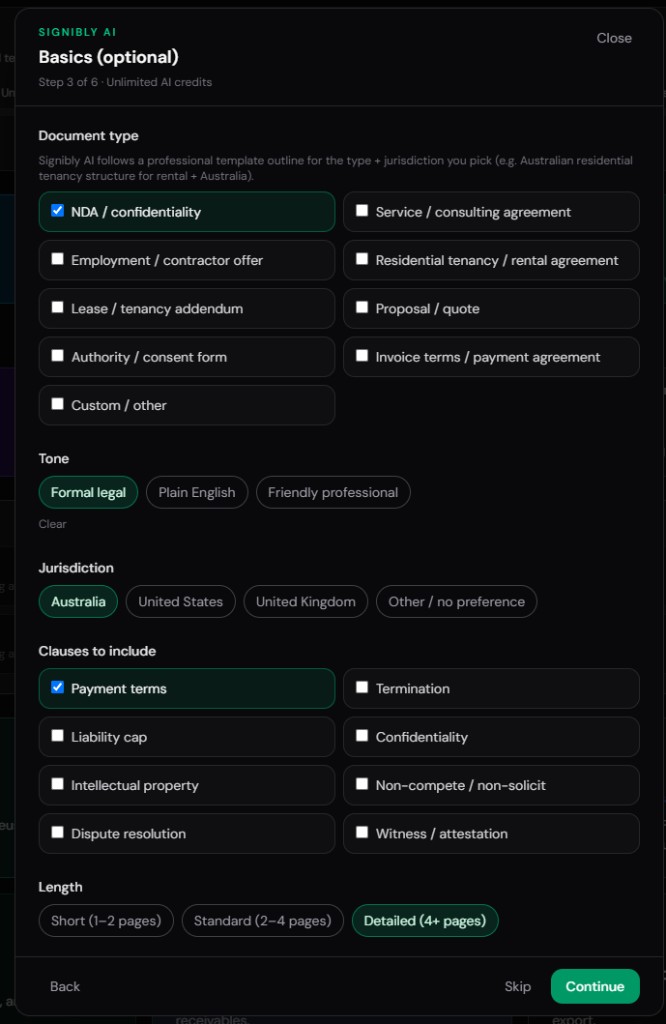
How Signibly AI creates documents
You open a short wizard: document type (service agreement, NDA, residential tenancy, and more), one-time envelope or reusable template, party roles with counts for multiple clients or tenants, jurisdiction, length, tone, optional clauses, and logo placement.
Signibly AI uses jurisdiction-aware blueprints for common structures — so an Australian residential tenancy draft follows a recognisable shape instead of inventing random headings. It does not pretend to browse the live web for “the latest template”; it drafts from curated guidance and your answers.
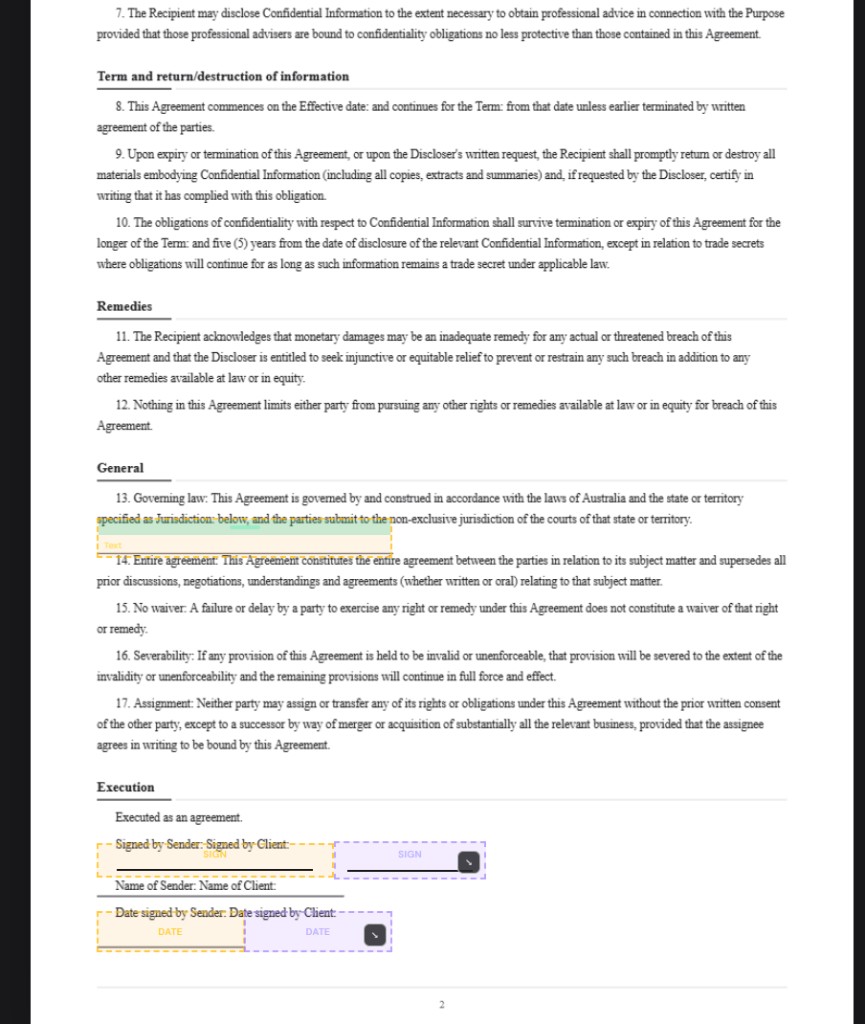
The result is page images with fields already placed near the relevant text, party colours assigned, and a review bar for revisions, logo drop, and Test document. Generating costs one AI credit; the first revisions are free, then further revision batches use credits.
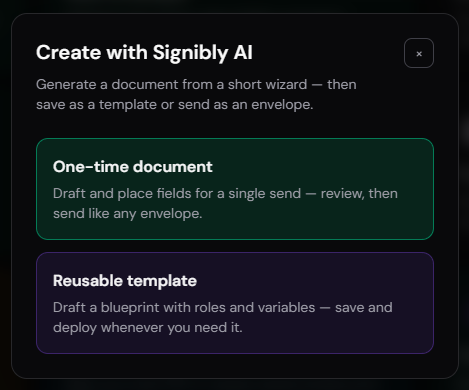
Auto-generate fields on PDFs you already have
Not every deal starts from a blank page. When a lawyer, franchise, or counterparty sends a finished PDF, Signibly AI still helps: upload the file, choose Auto-generate fields, and scan up to 20 pages.
Vision runs in high-detail batches of six pages so later pages are not sacrificed as “low detail.” Credits are simple — one AI credit (or free field scan) per six pages. An 18-page agreement costs three. Multiple “Client” signature blocks become Client 1, Client 2, and so on with distinct colours.
Placement targets visible underlines and blanks, not printed headings. You can still drag anything that looks off. That combination — create from scratch or scan what you already have — is what most draft-only AI products never ship.

Why Signibly is the best home for AI document creation
Draft-only AI leaves you with a file. Signibly leaves you with an envelope. After AI finishes, you test every signer without waiting for the previous party to complete — then send with signing order, SMS alerts, e-witness, and audit trails on Business when you need them.
The same plan covers Invoice Hub and Payments Hub, so the signed job becomes a paid job without a second subscription. Expenses Hub and Tax / BAS Hub share the operational data model. AI credits also power receipt and invoice scans — one pool, packs that never expire.
Pricing stays honest: Free to try core signing; Business from $10/month AUD with unlimited envelopes and invoices under fair use, monthly AI credits included, and no enterprise ladder for modules you will never open. Fair if you only use e-sign. Incredible when you use AI drafting, fields, invoices, and expenses together.
| Capability | Typical AI writer | Signibly AI |
|---|---|---|
| Structured wizard (roles, jurisdiction, length) | Usually a single chat prompt | Guided wizard + jurisdiction blueprints |
| Output ready for e-sign | Word / Markdown / copy-paste | Pages + fields in prepare workspace |
| Auto-place fields on uploaded PDFs | Rare or separate product | High-detail scan, 1 credit / 6 pages |
| Multi-party colours & roles | Text labels only | Separate coloured field parties |
| Test signers before send | Not applicable | Preview as any party freely |
| Invoice & get paid after signing | Export elsewhere | Invoice Hub + Payments Hub included |
| Typical SMB pricing | Chat seat + separate e-sign bill | Business from $10/mo AUD + AI credits |
A practical workflow you can run this week
Day one: create a service agreement with Signibly AI for your standard engagement. Request one revision for fee wording, drop your logo, test Client and Provider, then save as a template if you will reuse it.
Day two: upload a counterparty PDF and Auto-generate fields. Nudge anything that needs millimetre accuracy, assign real emails, and send.
Day three: when the envelope completes, send the invoice from Invoice Hub — or attach it on send — and track payment in Payments Hub. That is AI document creation connected to cash flow, not a novelty chat.
Limitations — and how Signibly stays honest about them
Signibly AI is not a solicitor. Complex deals, regulated industries, and court-ready instruments still need qualified legal review. AI placement is a strong head start; always glance at every page before send.
Field scans cap at 20 pages per run. Credits are consumed intentionally so long documents are not “free unlimited vision.” Welcome free field scans are one-time; they do not renew with subscription.
Those boundaries keep the product usable for SMBs instead of promising magic. The advantage remains the closed loop: draft or scan → fields → sign → invoice → pay — under one published Business plan.
Is Signibly AI free?
Core signing is free to try. Signibly AI document creation uses AI credits (Business includes a monthly pool; packs never expire). Auto field scans use free welcome field scans first, then AI credits at 1 per 6 pages.
Can Signibly AI replace my lawyer?
No. It drafts practical commercial documents for small businesses. Review every draft and seek legal advice when the matter requires it.
Does AI field detection work on long PDFs?
Yes — up to 20 pages per scan, processed in high-detail batches of six pages so later pages stay accurate. An 18-page document costs 3 credits (or free field scans).
Why is Signibly better than ChatGPT for contracts?
ChatGPT can write text. Signibly AI produces a signing-ready layout with parties, fields, revisions, preview testing, and a path to send, invoice, and collect payment without exporting to another app.
Related
Signibly AI guide · E-Signatures · Templates · For small business · Signibly vs DocuSign · Pricing · Shelf-ware waste · Standalone tax · Hide unused features · Top 10 SMB software · FreshBooks vs Signibly · Track partial payments · DocuSign vs PandaDoc · PandaDoc vs SignNow · PandaDoc pricing 2026 · PandaDoc vs Adobe Sign · SignWell vs DocuSign · Signaturely vs DocuSign · Dropbox Sign & invoicing · eSignLive vs DocuSign · AI vs template contracts · AI fillable PDF guide · Complete document workflow · PandaDoc vs DocuSign vs Signibly · Hidden cost of five business apps · Best AI contract generators · 50 business documents checklist · AI vs lawyers for contracts · Client onboarding guide · Build a paperless business · Switch to Signibly AI · Scan receipts & invoices · Replace multiple apps · All-in-one SMB software · Custom dashboards · Freelancers · Get paid faster · Client management · Cheaper DocuSign alternative · vs PandaDoc · vs Xero · vs FreshBooks · vs QuickBooks · vs SignNow · vs Zoho Books · All blog posts · All solutions · Compare vendors