Why It’s Easy to Switch From DocuSign, PandaDoc, or Adobe Sign to Signibly
Switching e-signature tools usually means rebuilding every template and re-placing every field by hand. Signibly AI removes most of that work — upload your existing PDFs for auto-placed fields, or recreate common agreements with the AI wizard, then send from the same hub that also runs invoices and payments.
Why switching e-sign tools usually feels impossible
Nobody switches e-signature software on a whim. You picked DocuSign, PandaDoc, or Adobe Sign years ago, you built templates inside it, your team knows where the buttons are, and every contract you have ever sent lives in its history. Even when the price hikes, the confusing add-ons, or a clunky mobile experience make you want out, the actual migration looks like a multi-week project nobody has time for.
The fear is specific: rebuilding every template field by field, re-training staff on a new interface, losing access to old envelopes, and risking a broken signing link in the middle of a live deal with a client. That fear is usually bigger than the reality, but it is not irrational — most e-sign platforms do not make it easy to leave, because they built their retention around the sunk cost of your templates, not the quality of their signing experience.
The good news is that the actual technical barrier to switching is much smaller than it feels. Your templates are mostly PDFs with signature blocks in predictable places. Your contact lists are exportable. Your in-flight envelopes just need to finish where they started. What is missing is a tool on the other end that can absorb that work automatically instead of asking you to start from a blank canvas — which is the specific gap Signibly AI is built to close.
What actually has to move: templates, contacts, and in-flight envelopes
Before comparing tools, it helps to break "switching e-signature platforms" into the three things that genuinely need to move, because most of the anxiety comes from treating it as one undifferentiated blob of work.
First, your templates — the service agreements, NDAs, tenancy forms, and intake documents you send repeatedly. These are usually just PDFs with signature lines, initials boxes, and date fields in fixed positions. The content rarely changes; only the placement of fields around it does. This is the part that eats the most hours when done manually, and the part Signibly AI automates first.
Second, your contacts and signer history — who you send to, their roles, and sometimes their saved signatures if your old platform supports export. This is mostly a CSV or address-book problem, not a technical one, and every mainstream e-sign tool lets you export contacts in some form.
Third, envelopes already in flight — contracts sent last week that a client has not signed yet. You do not need to migrate these. The sane approach is to let anything already sent finish inside your old tool while every new send goes through the new one. There is no reason to force a half-signed DocuSign envelope into a different platform; just let your old account stay active in read-only mode until those tail envelopes close out, which is usually a matter of days, not months.
How Signibly AI does the hard work for you
The reason migrations feel painful is that most e-sign tools assume you will manually drag a signature box onto every page of every template, for every field, every time. If you have twelve templates with an average of eight fields each, that is nearly a hundred manual placements — done once for the initial setup, and again whenever a template needs a small tweak.
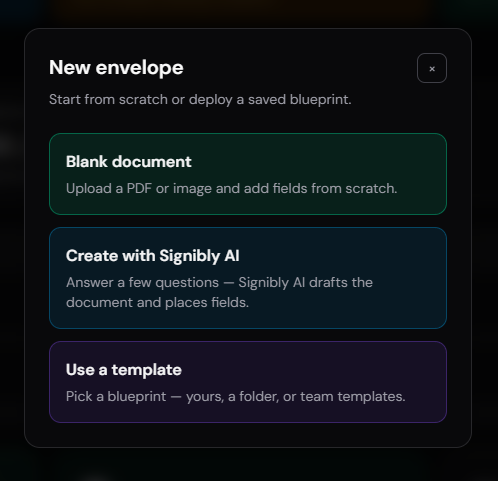
Signibly AI attacks this two ways, depending on where your document starts. If you already have a finished PDF — the exact agreement your lawyer drafted, or the template you have been sending from your old platform for years — you upload it and choose Auto-generate fields. Signibly scans the document in high-detail batches of six pages, looking for the visual cues that indicate a signature line, an initials box, a date field, or a blank meant to be filled in. It places fields directly on those blanks rather than guessing from headings, so the result lines up with what a human would place by hand.
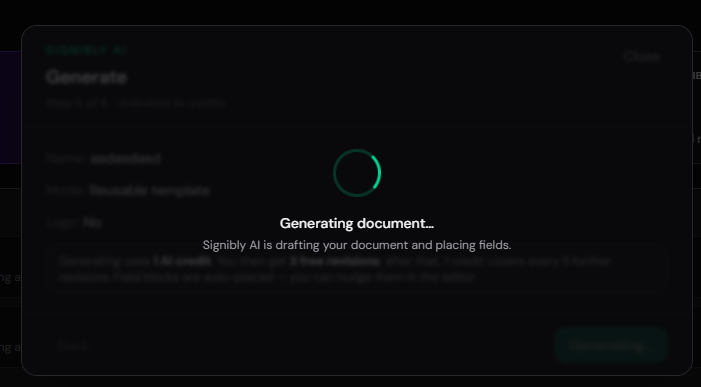
If you do not have a clean existing PDF — maybe your old template was baked into DocuSign’s proprietary format and does not export cleanly — the AI wizard rebuilds common agreement types from scratch. You answer a short set of questions: document type, jurisdiction, party roles and counts, tone, length, and any clauses you want included. Signibly drafts a professional layout using jurisdiction-aware structures, places fields near the relevant text automatically, and gives you a review pass before anything goes near a signer.
Either path lands you in the same place: a prepared envelope with fields already positioned, ready for you to nudge anything that looks slightly off, rather than a blank canvas waiting for a hundred manual drags. Auto-field scans use one AI credit per six pages (or a free welcome field scan first), and the wizard costs one credit to generate with the first round of revisions included — a small, predictable cost against the hours a manual rebuild would otherwise take.
Multi-party roles and colours, without rebuilding from scratch
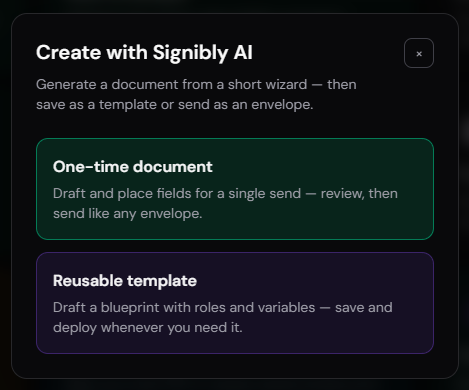
A lot of the templates that make people nervous about switching are not simple single-signer NDAs — they are multi-party agreements: a lease with two tenants and a landlord, a partnership deed with three founders, a vendor agreement with a client and a countersigning manager. In most tools, setting up distinct roles with separate colours and separate field sets is the fiddliest, most error-prone part of template setup, because a misassigned field means the wrong person gets asked to sign in the wrong place.
Signibly AI handles repeated roles automatically. When it scans a PDF with three "Tenant" signature blocks, it does not lump them into one generic bucket — it separates them into Tenant 1, Tenant 2, and Tenant 3, each with a distinct colour, so you can immediately see at a glance which fields belong to which signer. The same logic applies to Client, Guarantor, Witness, and other role labels commonly found in leases, service agreements, and partnership documents.
This matters most during a migration because multi-party templates are exactly the ones people are most tempted to just keep re-sending from their old, more expensive platform rather than rebuild — the perceived effort of recreating five colour-coded roles by hand is what keeps people stuck paying for a tool they otherwise want to leave. Automating that specific step removes the single biggest reason multi-signer templates get left behind during a switch.
Test before you send — the step migrations usually skip
The riskiest moment in any platform switch is the first real send on the new tool. If a field is misplaced, a required signer is missing, or the signing order is wrong, you find out from an confused client instead of from your own review — which is a bad way to build confidence in a new system, and a fast way to talk yourself back into the old one.
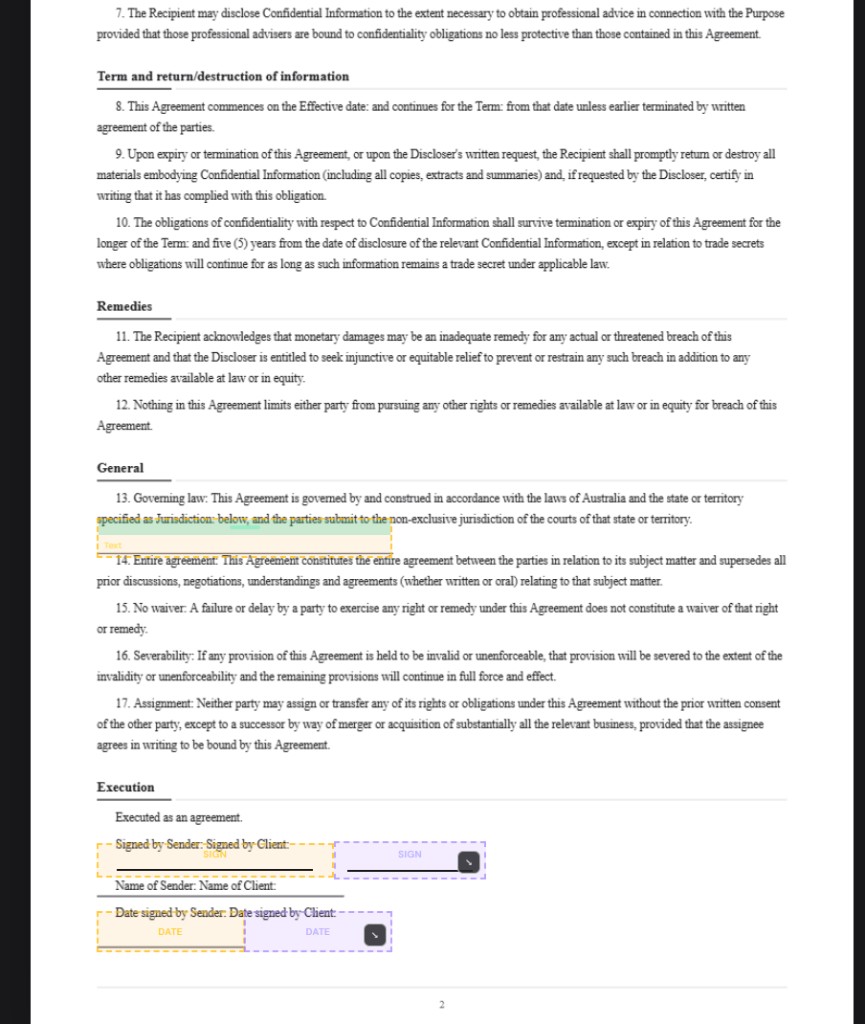
Before an envelope goes out, Signibly lets you preview and test the document as any party in the signing order, without waiting for a previous signer to complete their step first. You can click through as "Tenant 1," then "Tenant 2," then "Landlord," confirming every field lands where it should and every required box actually blocks submission when empty.
Run this test pass on your first two or three migrated templates specifically. It takes a few minutes and it is the difference between confidently telling a client "we have moved to a new signing tool" and nervously hoping nothing breaks. Once a template has been tested once, sending it again is no more effort than it was in your old platform — often less, because the fields are already exactly where they need to be.

What you gain beyond signing: invoices, payments, and expenses
A pure e-signature swap — same signing experience, different logo — would still be worth doing if the price or usability difference is large enough. But most SMBs who migrate off DocuSign, PandaDoc, or Adobe Sign are not just replacing a signing tool; they are consolidating tools, because they were paying for e-signatures in one subscription and invoicing in another, with no connection between the two.
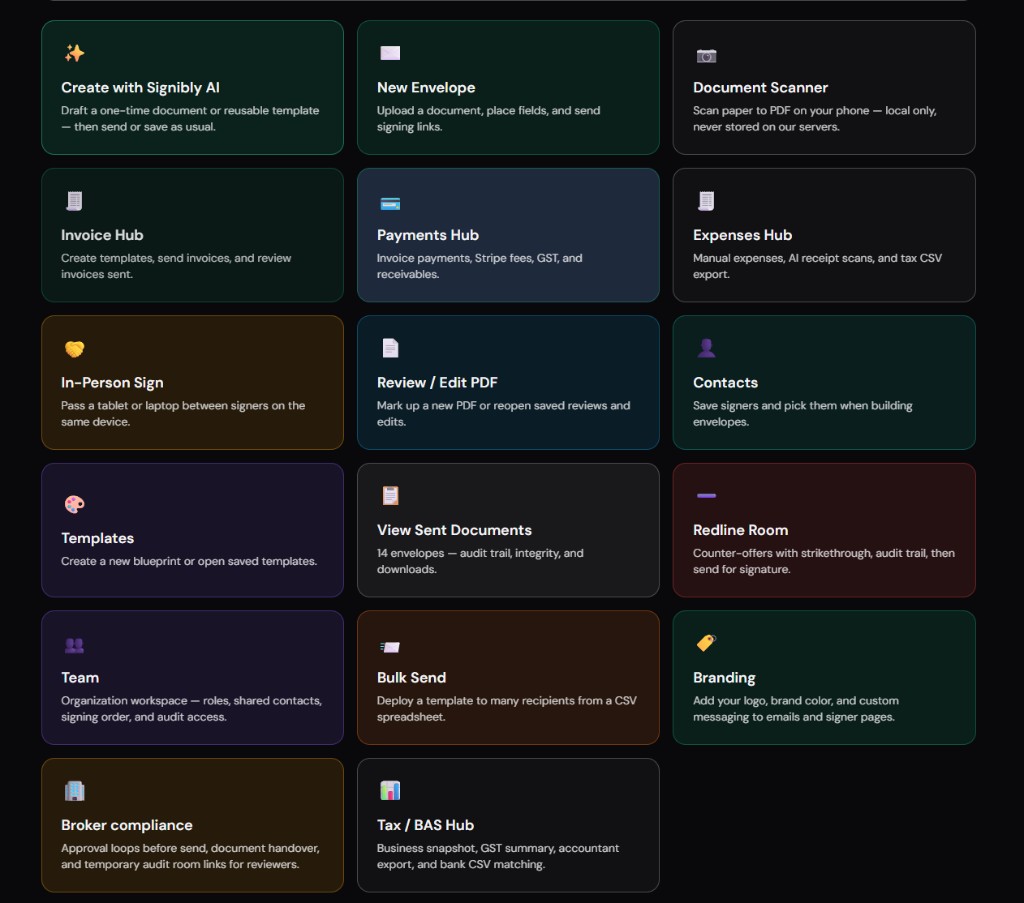
Signibly bundles e-signatures with Invoice Hub and Payments Hub in the same Business plan. When a signed agreement completes, you can generate the matching invoice from the same workspace — no re-entering the client’s details, no separate login, no reconciling two systems to confirm a job is both signed and paid. Expenses Hub and a Tax / BAS Hub sit on the same data model, so the operational picture of a job — signed, invoiced, paid, expensed — lives in one place rather than three.
This is the part of a migration that is easy to undervalue up front and obvious in hindsight three months later: the point of switching was never just "a cheaper signature tool." It is closing the gap between getting a contract signed and getting the job paid, which most dedicated e-sign platforms were never built to do.
| Migration step | Typical e-sign-only tool | Signibly |
|---|---|---|
| Rebuilding templates from existing PDFs | Manual field drag-and-drop, page by page | Auto-generate fields, ~1 credit per 6 pages |
| Recreating agreements with no clean PDF | Start from a blank canvas | AI wizard drafts + places fields together |
| Multi-party roles (2+ signers of same type) | Manually label and colour each field | Auto-splits into Role 1, Role 2, distinct colours |
| Testing before first real send | Often skipped or done live with a real signer | Preview as any party, no waiting on prior signer |
| Invoicing the signed job | Separate invoicing subscription | Invoice Hub + Payments Hub included |
| Typical SMB pricing | Per-seat or per-envelope e-sign plan alone | Business from $10/mo AUD, unlimited envelopes under fair use |
A practical 7-day switch plan
You do not need a weekend-long migration event. Spreading the switch across a week keeps it low-risk and lets your old tool keep handling anything already in flight while you build confidence in the new one.
Day 1–2: export your contact list and identify which templates you actually send regularly — most businesses have three or four core documents that account for the majority of sends, plus a long tail of one-offs. Start with the core few, not the entire library.
Day 3–4: for each core template, either upload the existing PDF and run Auto-generate fields, or use the AI wizard if you do not have a clean file to upload. Review the placed fields on each, nudge anything that needs adjusting, and save as a reusable template so future sends take seconds.
Day 5: test every multi-party template as each signing role, confirming colours, order, and required fields behave correctly. This is the step that prevents a bad first impression with a real client.
Day 6: send your first real envelope on the new platform for a low-stakes, friendly counterparty — an existing client you know well, not a brand-new prospect — so any hiccup is easy to smooth over with a quick message rather than a first impression with a stranger.
Day 7: once that envelope completes cleanly, move new sends over fully. Leave your old account active but idle, only for envelopes already in progress there, and set a reminder to cancel or downgrade it once those tail envelopes close out.
When you should wait, or keep your old tool briefly
Honesty matters more than a clean sales pitch here. There are a few situations where it makes sense to delay a full switch or keep your old platform active a little longer.
If you have envelopes mid-signature right now with multiple parties who have already signed in a specific order, let them finish in the original tool. Voiding and resending a partially-signed envelope on a new platform creates confusion for signers and can look unprofessional to a client who already signed once.
If your organisation has compliance requirements tied to a specific platform’s certification, audit trail format, or a signed vendor agreement with a minimum term, check that first — a subscription lock-in or a compliance sign-off is a real constraint, not something a tool comparison should talk you out of.
If you have dozens of highly customised templates with unusual, non-standard layouts — heavily nested tables, unusual multi-column legal formatting — plan for a slightly longer review pass on the AI-placed fields for those specific documents rather than assuming a one-click perfect result. AI placement is a strong head start on standard layouts; it is not a substitute for a final human glance at anything unusual before it goes to a client.
Do I have to migrate all my templates from DocuSign or PandaDoc at once?
No. Move your three or four core templates first, test them, and start sending new agreements from Signibly while any in-flight envelopes finish in your old tool. There is no need for a single cutover day.
Can Signibly AI actually read my existing PDF templates?
Yes. Upload the PDF and choose Auto-generate fields. Signibly scans up to 20 pages in high-detail batches of six, placing signature, initials, and date fields on the visible blanks in the document rather than guessing from headings.
What happens to contracts I already sent in DocuSign, PandaDoc, or Adobe Sign?
Leave them where they are. There is no need to migrate completed or in-progress envelopes — keep your old account active in a limited capacity until anything still awaiting signatures finishes, then cancel or downgrade it.
Does switching mean rebuilding my multi-party templates from scratch?
Not usually. When Signibly AI scans a document with repeated roles like multiple tenants or clients, it automatically separates them into distinct, colour-coded fields (Tenant 1, Tenant 2, and so on) instead of requiring you to relabel each one manually.
Is there a free way to try Signibly before fully switching?
Yes. Core signing is free to try, and new accounts get free welcome field scans before any AI credits are used, so you can test the auto-field workflow on a real template before committing to a paid plan.
Will switching to Signibly save money compared to DocuSign or PandaDoc?
For most SMBs, yes, especially once you factor in a separate invoicing tool. Signibly Business starts from $10/month AUD with unlimited envelopes and invoices under fair use, monthly AI credits included, and no enterprise-only ladder for the features small teams actually use.
Related
Signibly AI guide · Pricing · Signibly vs DocuSign · Signibly vs PandaDoc · Create a fillable PDF with AI · AI document creation with Signibly · Shelf-ware waste · Standalone tax · Hide unused features · Top 10 SMB software · FreshBooks vs Signibly · Track partial payments · DocuSign vs PandaDoc · PandaDoc vs SignNow · PandaDoc pricing 2026 · PandaDoc vs Adobe Sign · SignWell vs DocuSign · Signaturely vs DocuSign · Dropbox Sign & invoicing · eSignLive vs DocuSign · AI vs template contracts · Complete document workflow · PandaDoc vs DocuSign vs Signibly · Hidden cost of five business apps · Best AI contract generators · 50 business documents checklist · AI vs lawyers for contracts · Client onboarding guide · Build a paperless business · Scan receipts & invoices · Replace multiple apps · All-in-one SMB software · Custom dashboards · vs Xero · vs FreshBooks · vs QuickBooks · vs SignNow · vs Zoho Books · Cheaper DocuSign alternative · All blog posts · All solutions · Compare vendors